
Phone System CRM Integration
BEFORE YOU ANSWER
Know Who’s Calling Before You Answer
CRM integration from VisionQuest connects your business phone system to the CRM your team already works in. WebPop opens the caller’s record while the call is still ringing, so your team greets customers by name with their history in front of them. The call stays in the Desktop App, and the CRM opens beside it.

CALL NOTES
Call Notes That Write Themselves
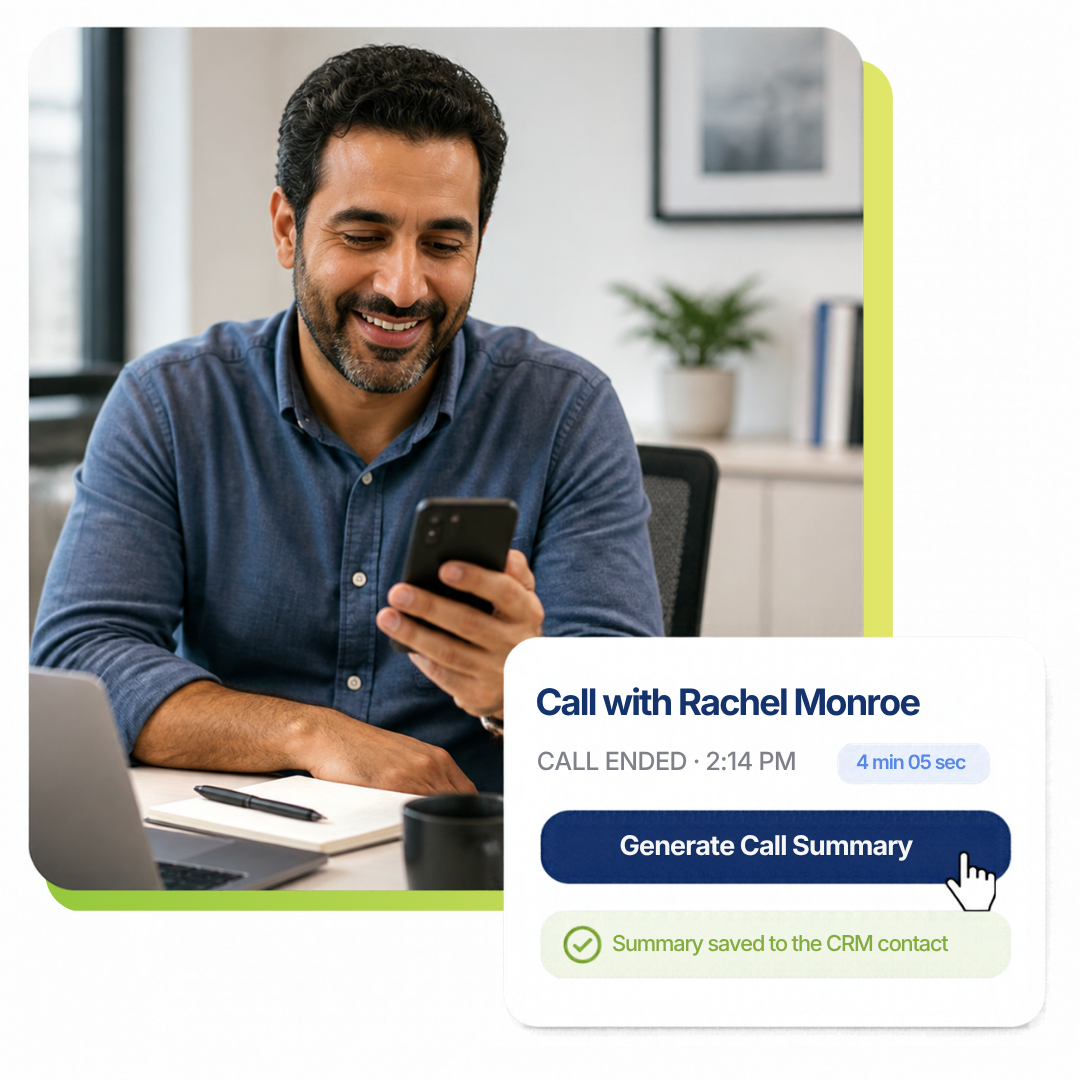
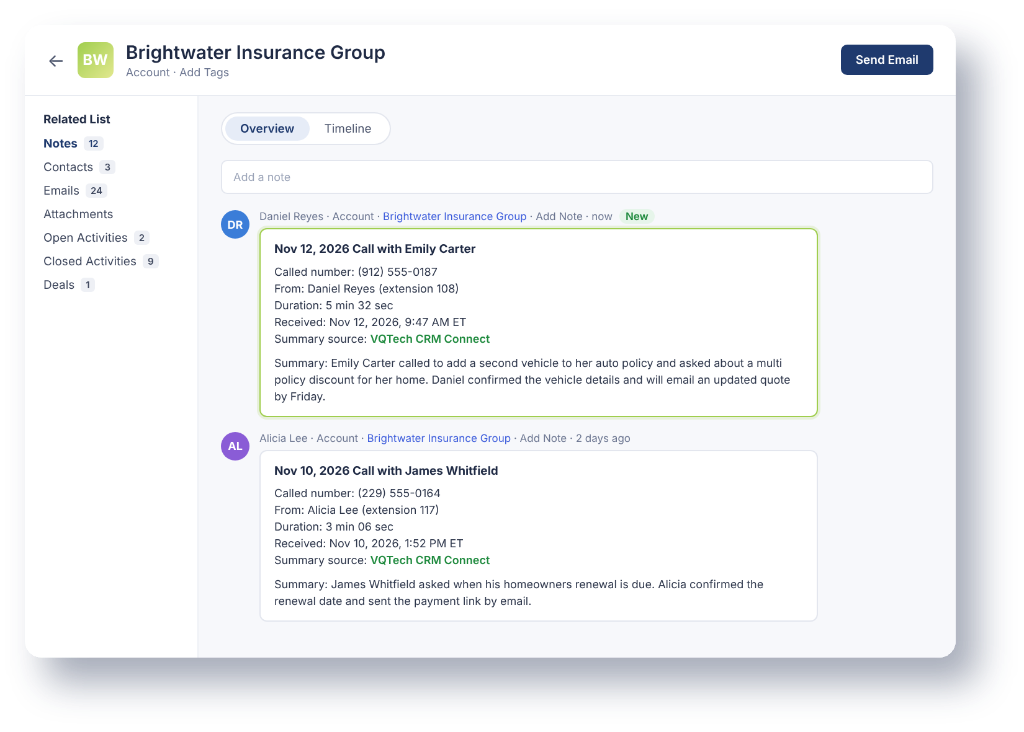
When a call ends, click Generate Summary in the Desktop App. CRM Connect writes a short summary of the call, gives it a clear title, and saves it as a note on that contact’s record in your CRM. Every conversation is logged the same way, so anyone on your team can pick up where the last call left off. The same kind of call summary comes from our AI receptionist when it answers for you.
YOUR CRM
Works With the CRM You Already Use
CRM Connect works with HubSpot, Zoho CRM, Pipedrive, Close, GoHighLevel, Capsule, Attio, Freshsales, Copper, Microsoft Dynamics 365, Odoo, and Vtiger. WebPop screen pops work with HubSpot, Zoho CRM, Microsoft Dynamics 365, and ServiceNow. Some CRMs only allow outside connections on certain plans, so we check yours before setup. Not sure about your CRM? Ask us and we’ll check.
FAQ
Frequently Asked Questions
Yes. CRM Connect and WebPop are features of VisionQuest business phone service and work in the Desktop App.
Sometimes. A few CRMs only allow outside connections on certain plans. We check your plan before setup so there are no surprises.
No. Summaries are saved to contacts that are already in your CRM, so your records stay clean and nothing is duplicated.
When a call ends, click Generate Summary in the Desktop App. CRM Connect writes a short summary and a title for the call and saves it as a note on that contact’s record.
HubSpot, Zoho CRM, Microsoft Dynamics 365, and ServiceNow.
HubSpot, Zoho CRM, Pipedrive, Close, GoHighLevel, Capsule, Attio, Freshsales, Copper, Microsoft Dynamics 365, Odoo, and Vtiger. If you use something else, ask us and we’ll check.
WebPop does not guess. It shows the number and lets your team choose the right record or add a new one.
WebPop shows the incoming number with a clear notice that the caller is not in your CRM. Your team adds the contact while the call is still live, then clicks Generate Summary to save the call notes.
A screen pop opens the caller’s record on your screen while the phone is ringing. With WebPop, your team sees who is calling before they answer.